


|
Your Agency HQ for the AI Era
Every AI tool you use could be smarter — if it knew your agency. Dollie connects your clients, your expertise, and your operations to whatever tools your team already uses.
Join the Waitlist

Three steps. Full agency context in every AI tool.
Your standards, your client preferences, your way of working — every piece of context you add makes every AI tool you use more useful. Import clients from Stripe or CSV, connect sites from any host, define how you work.
- Clients — profiles, preferences, project history
- Sites — any host, connected in minutes
- Processes — your standards, your way of working

Open Claude, Cursor, VS Code, or the Dollie app — your clients, sites, and processes are already there. One connection. Every tool. No briefing required.
- MCP Server — Claude, Cursor, VS Code, and more
- Chat & Desktop App — instant access to your agency context
- API & SDK — build your own integrations
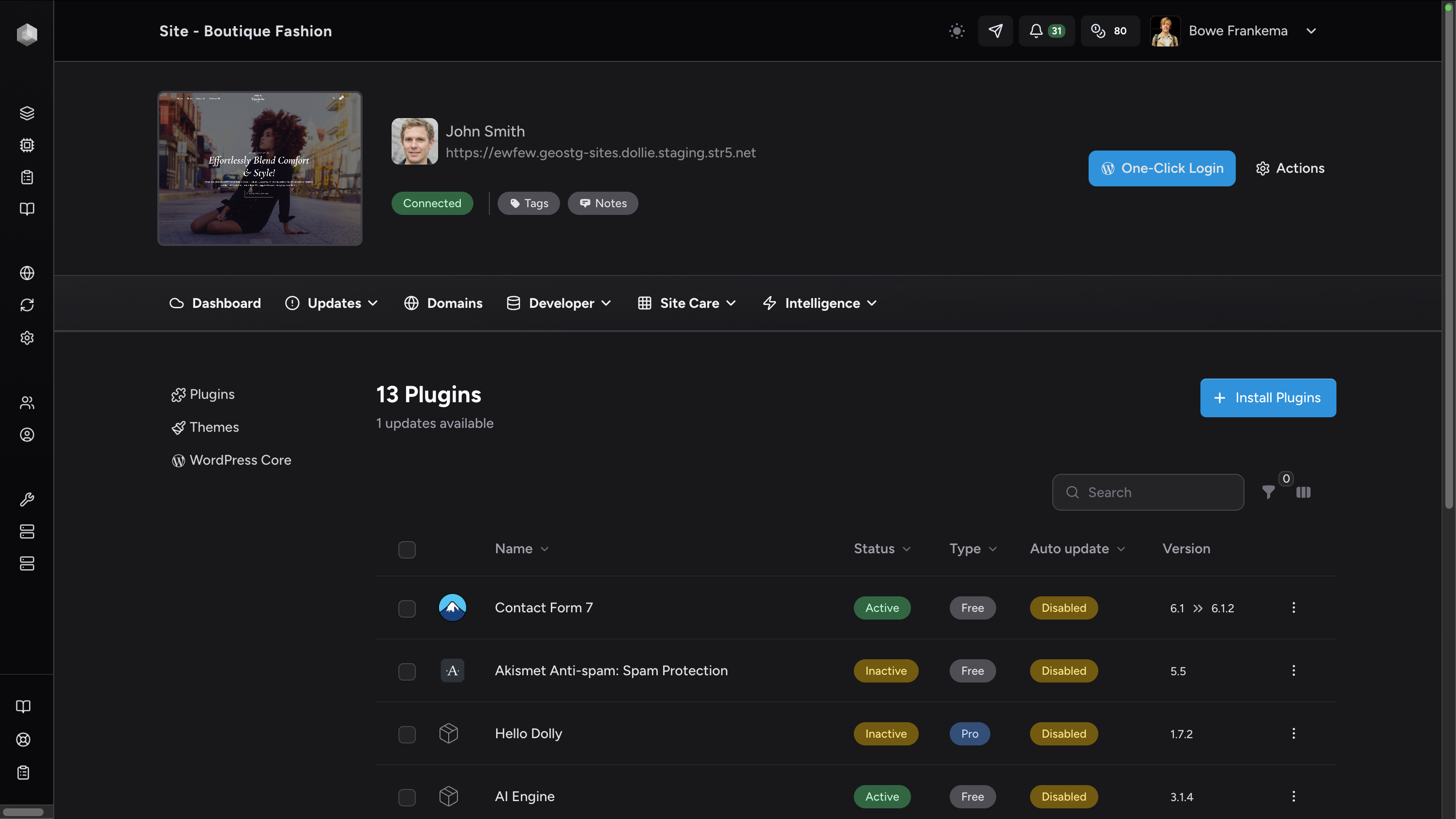
Proposals pull from real client history. Site audits run across your full portfolio. Weekly updates write themselves from actual activity data. Your full agency context behind every action.
- Agents — delegate operations with your full context
- Operations — updates, deployments, reports at scale
- Your team — everyone works with the same context
AI doesn't work for agencies.
Dolliechangesthat.
Right now, AI is that new hire who shows up with incredible energy and zero context. You paste in a URL. Explain who the client is. Describe the tech stack. Remind it what you already told it yesterday. It gives you something 80% right. You spend an hour fixing it.
That's not a 10x improvement. That's barely 1x with extra steps.
But when AI already knows your clients, your sites, your processes, your standards — something fundamentally changes. Client reporting goes from a half-day exercise to a conversation. Site audits happen in the time it takes to ask. The 10x isn't in the model. It's in the context you give it.
Sneak preview
Here's what's waiting inside
We're still building the full feature overview. In the meantime, here's a look at what early access members are already using.
Agents
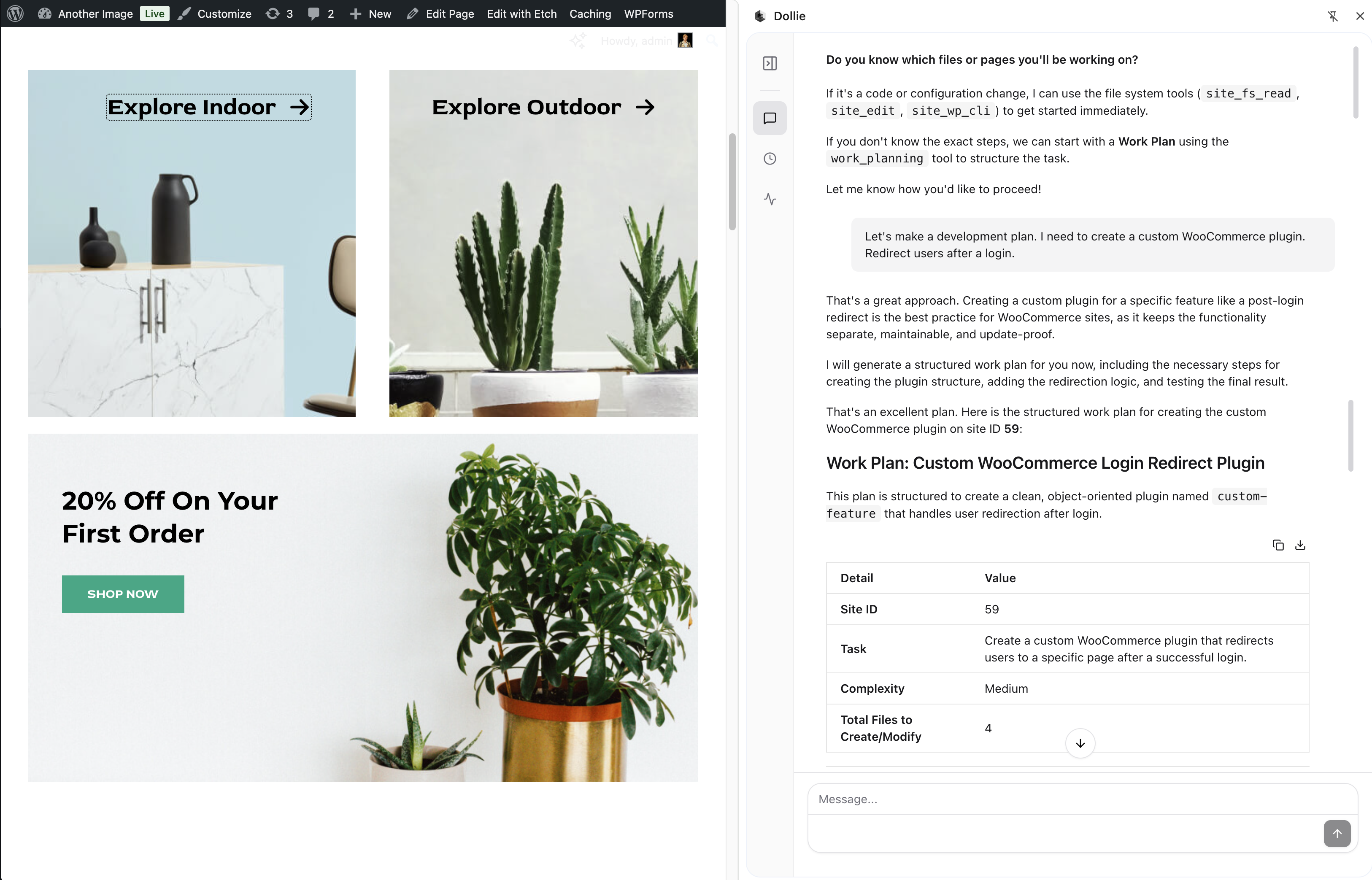
Your agents know your clients, operate your sites, and get work done. No briefing, no context-switching, no manual steps.
Full landing page coming soon
Site, one conversation
Context needed
Context Anywhere
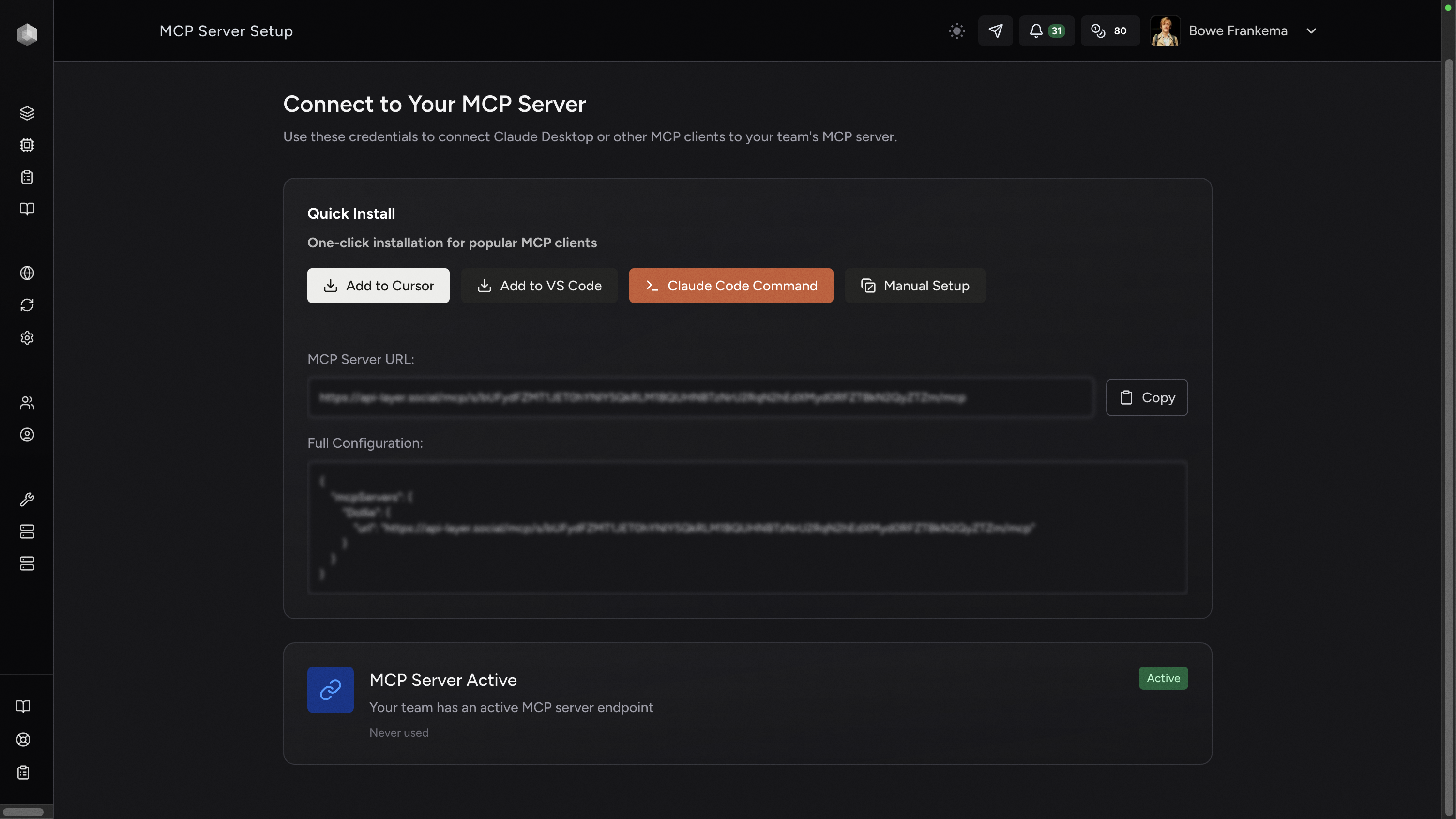
Your agency context in Claude, Cursor, VS Code — or any tool that supports MCP. One endpoint, 30 seconds to connect.
Full landing page coming soon
To connect any tool
Standards, no lock-in
Workspaces
Full development environments in seconds. Your agents build, test, and iterate inside them — with your client context already loaded.
Full landing page coming soon
From zero to running
Demo sites included
[ 01 ] Agents
AI that works with your full agency context.

AI that builds with your full agency context
Dollie agents don't just answer questions. They build plugins, debug live sites, run portfolio-wide updates, and prototype entire projects — inside workspaces that already know your clients.
Join the WaitlistWork with Claude, GPT-4, Gemini, and more — all with direct access to your agency context.
Not advice. Execution. Update plugins, run security scans, read error logs, execute WP-CLI commands — directly from conversation. Every operation logged, every change reversible.
Spin up a full WordPress environment in seconds. Your client’s goals, your agency’s coding standards, your preferred plugins — all present from the first interaction.
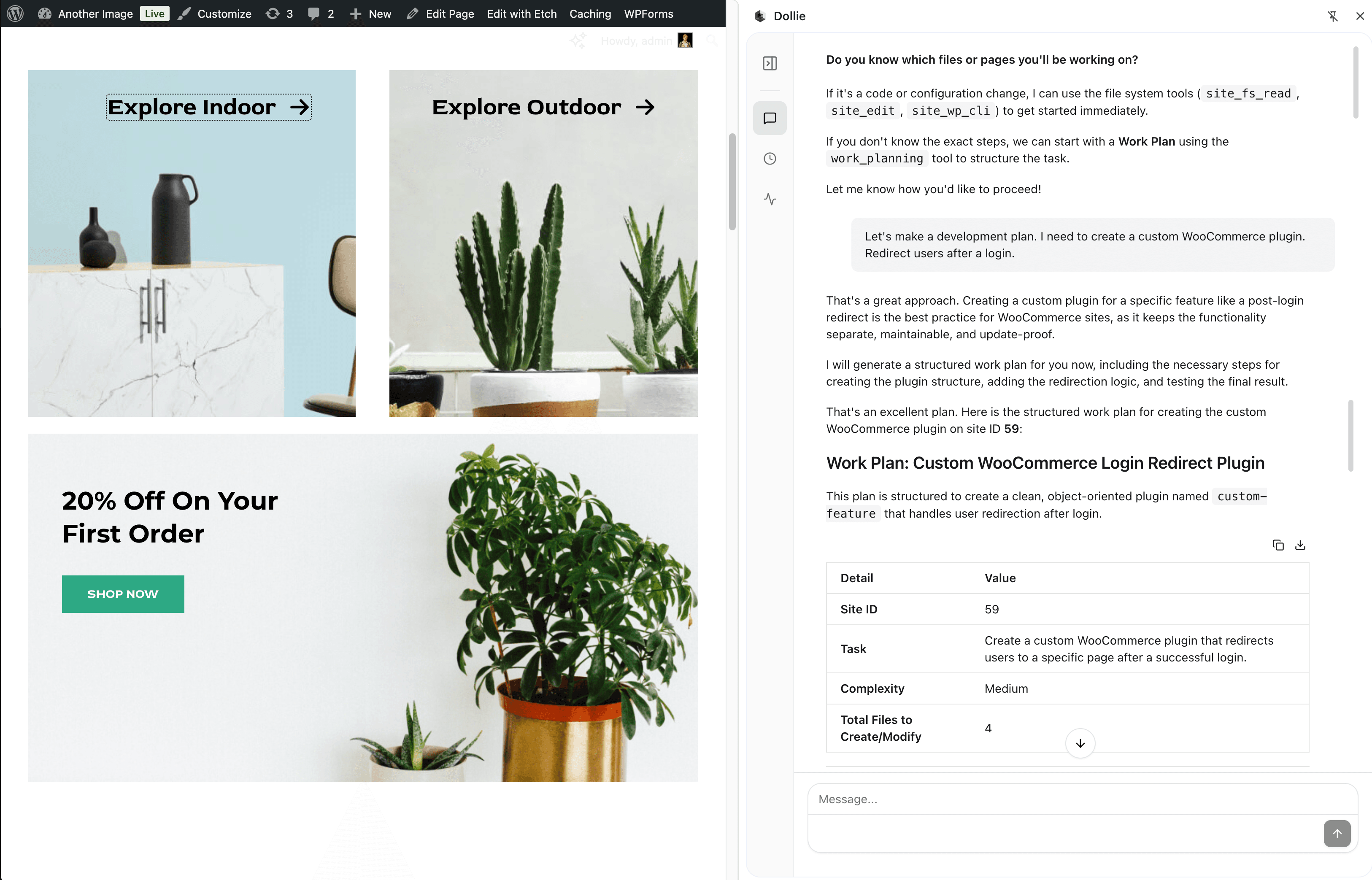
- 3+ AI models — Claude, GPT-4, Gemini
- Context attachment — clients & sites
- ~30 second workspace provisioning
- Full audit trail — every operation logged
“Spin up a workspace for Acme Corp. Scaffold a testimonials plugin with a custom Gutenberg block. Use their existing ACF fields.”
Context-loaded from start. No briefing required.
Full WordPress in seconds
Launch a complete WordPress environment loaded with your client context. Goals, agency standards, and deployment targets — all present from the first interaction. Unlike generic coding tools, your workspace doesn’t start from zero.
- ~30 second — provisioning
- Blueprint templates — reusable starting points
- Client context — pre-loaded from start
Agents build inside your workspace
Build plugins, test theme changes, prototype client demos, and iterate on code — all without touching production. Your agents read files, write code, install plugins, and iterate with full audit trails and undo capability.
- WP-CLI & SSH — full command-line access
- File operations — read, write, edit, search
- Full audit trail — every operation logged
Instant provisioning
Fresh WordPress environments in ~30 seconds.
Blueprint templates
Start from pre-configured site templates.
WP-CLI & SSH
Full command-line access for agents.
[ 02 ] Client Management
Organize your clients. Ask anything about them.
Great agencies know their clients deeply
You already build strong relationships. Dollie makes sure every tool your team uses has that same understanding.
Client knowledge that compounds.
Context builds naturally as you work. The more you use Dollie, the smarter every conversation gets.
Join the WaitlistAssign their sites. Set how agents should communicate with them. Upload brand docs, SOPs, project briefs — whatever your agents need.
Every report you generate, every update you run, every conversation you have adds to what Dollie knows about this client.
"Which of Sarah's sites need updates?" "Write a monthly report for Acme Corp." Real answers from real data — no briefing required.

- Per-client instructions — how each client likes to work
- Sites, docs, and preferences — all attached
- Works from any tool — Dollie, Claude, Cursor, ChatGPT
“What's the status of Mike's sites? Write a quick update in his preferred tone.”
Dollie already knows Mike. No briefing required.
[ 03 ] Connections
Your clients and sites, accessible from Claude, Cursor, VS Code, or any AI tool.


Any AI Tool
Your Own Apps
External Services
Custom Client Portals
Code with Full Context
Loading...
Open Standards. No Lock-in.
Connect Your Own Tools
Whole Team, Same Context
This is the future we're building for your agency
Same agency context. Different tools. Your clients and sites follow you from Dollie to Claude Code to Cursor.
[ 04 ] AI Workspaces
Full WordPress environments in seconds. Build, test, and ship.
Full WordPress in seconds
Launch a complete WordPress environment loaded with your client context. Goals, agency standards, and deployment targets — all present from the first interaction.
AI-controlled environments
Build plugins, test theme changes, prototype client demos, and iterate on code — all without touching production. Your agents have full control.
Instant provisioning
Fresh WordPress environments in ~30 seconds.
Blueprint templates
Start from pre-configured site templates.
WP-CLI & SSH
Full command-line access for agents.
Database access
Full database management capabilities.
[ 05 ] WordPress Intelligence
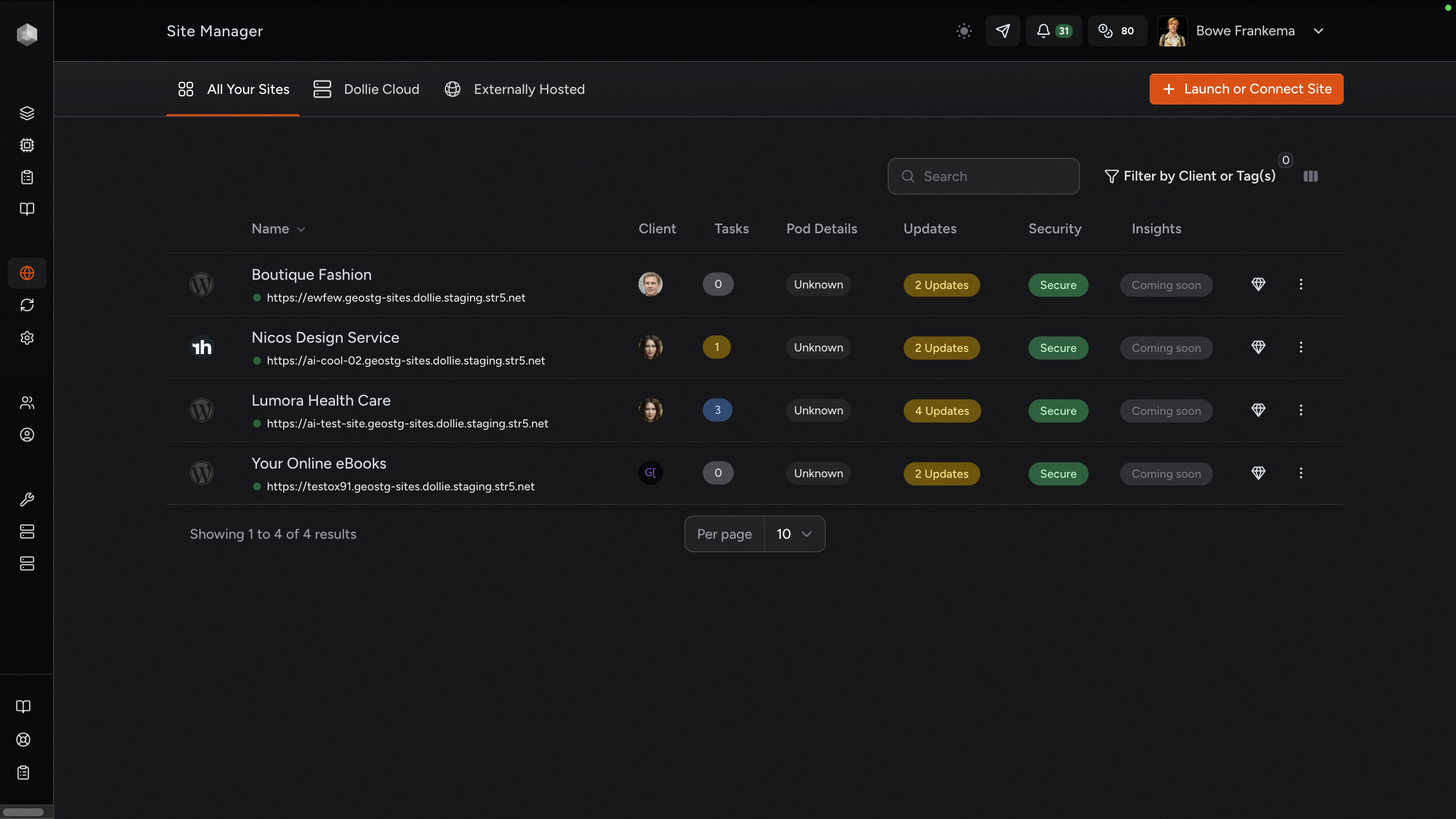
Manage every site from one place. Updates, scans, uptime — all AI-accessible.
Your WordPress sites, fully controlled by AI.
Real operations on real sites. Updates, code edits, deployments — from a single conversation.

Frequently Asked Questions
Everything you need to know about connecting your agency to Dollie.
Getting Started
Features & Capabilities
Hosting & Compatibility
Can not find what you are looking for? Reach out to our support team